The Ad Funnel feature provides a step-by-step view of how each ad request progresses through the monetization pipeline. It helps publishers identify drop-offs, diagnose revenue leaks, and optimize performance by offering detailed insights at each stage—request, response, fill, and render.
Ad Funnel
To view your Ad Funnel, follow the steps below.
- Log in to your InMobi Publisher Platform account.
- Go to Performance > Ad Funnel. You can view the breakdown of requests filtered at each stage with reasons.
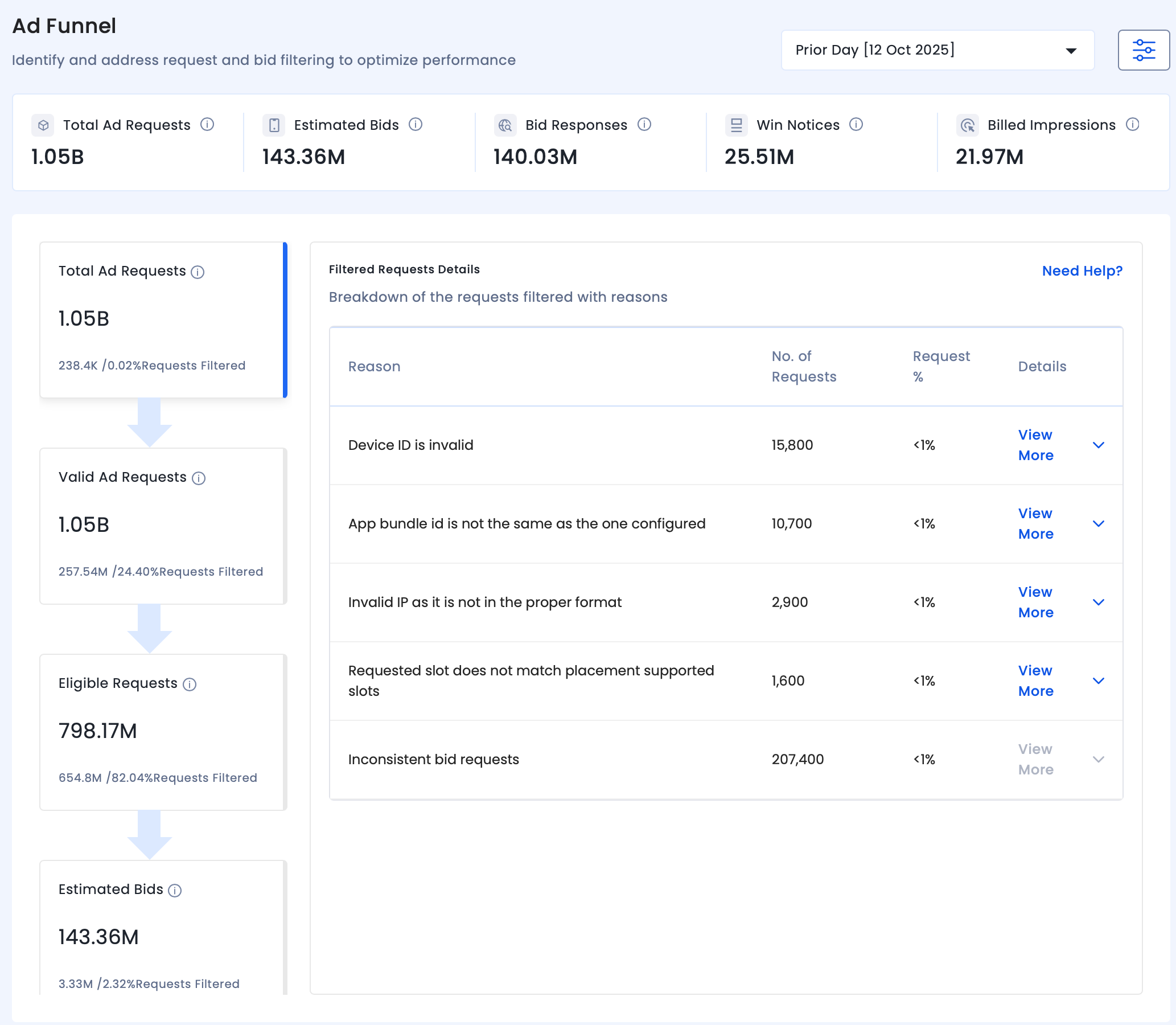
- Filter requests by time periods to Current Day, Prior Day, Last 3 days, Last 7 days, and Custom.
- Click the filters icon to filter requests by Inventory Channel, Ad Unit type, and Integration Direct.
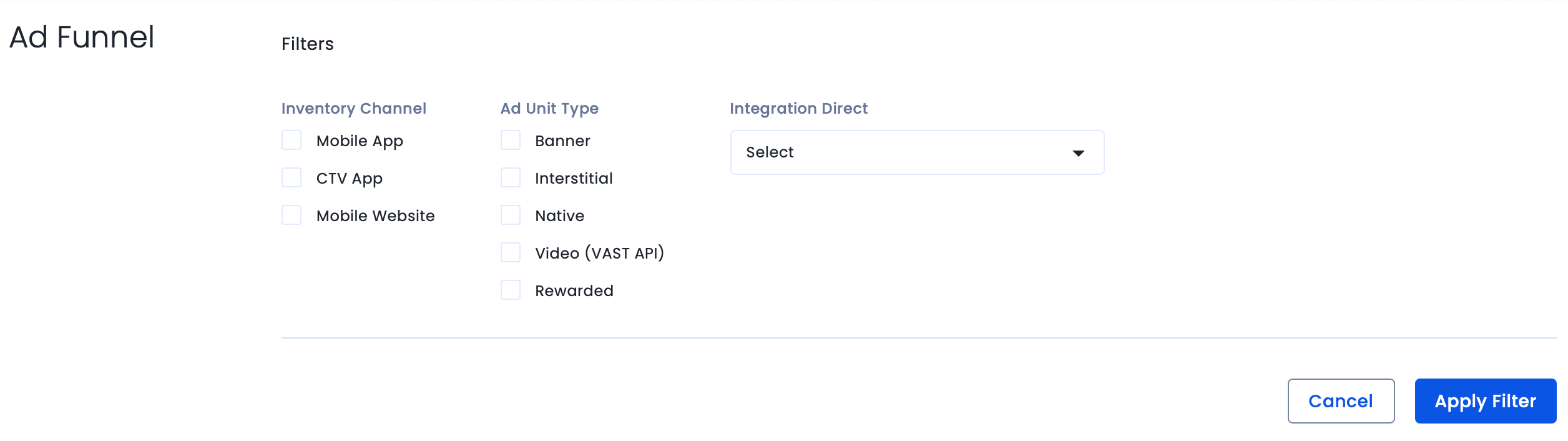
- Click Apply Filters to save changes.
Important Definitions
- Total Ad Requests: Total ad requests sent from your inventory to InMobi.
- Valid Ad Requests: Requests that passed initial validation, excluding malformed or inconsistent entries.
- Eligible Requests: Requests forwarded to DSPs after filtering invalid traffic and applying internal optimizations.
- Estimated Bids: Estimated bids received from the DSPs for the bid requests sent.
- Bid Responses: Impressions served to you post filtering based on block settings and internal policies.
- Win Notices: Impressions that won the auction at the mediation platform.
- Billed Impressions: Final Impressions rendered by you on your inventory.
 Support Center


