This topic explains how to integrate InMobi as a real-time bidder on Nimbus. InMobi connects via the OpenRTB (oRTB) protocol and uses the InMobi SDK to render ads when it wins an auction.
Before you begin, ensure that you have the following:
If the InMobi SDK is already integrated in your app, ensure that you link the same InMobi account ID with Nimbus. InMobi does not allow using multiple account IDs within the same app.
To set up your account and inventory on the InMobi Publisher Dashboard, follow these steps:
If you are adding apps and placements for the first time, see Add Your App or Website.
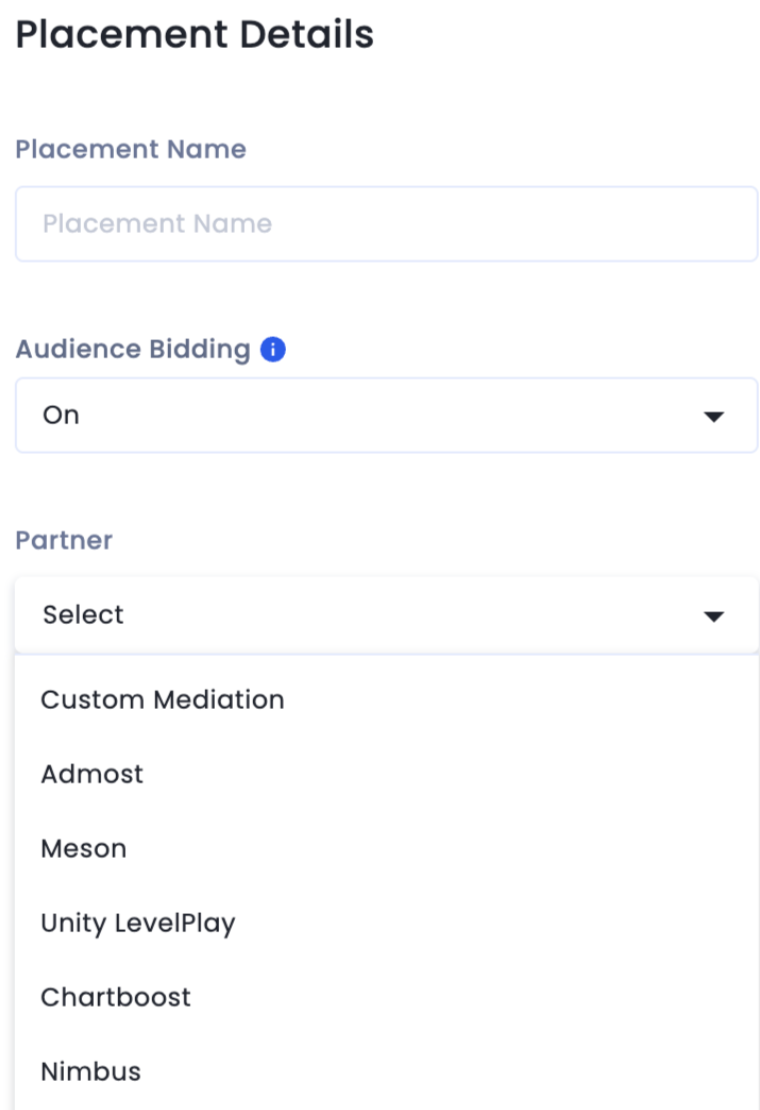
Enable Audience Bidding and select Nimbus from the Partner dropdown.
Use the following Nimbus documentation links to complete the integration:
By installing this SDK update, you agree that your Children Privacy Compliance setting remains accurate or that you will update that setting, whenever there is a change in your app's audience. You may update the app's Children Privacy Compliance settings at https://publisher.inmobi.com/my-inventory/app-and-placements.
 Support Center


