InMobi now offers a simplified setup for web monetization through Run of Network (RON) placements, designed to help publishers onboard and scale faster across multiple websites and mediations — without needing to create individual placement IDs per domain.
RON placements are available upon request. To activate, contact us or your InMobi Account Manager.
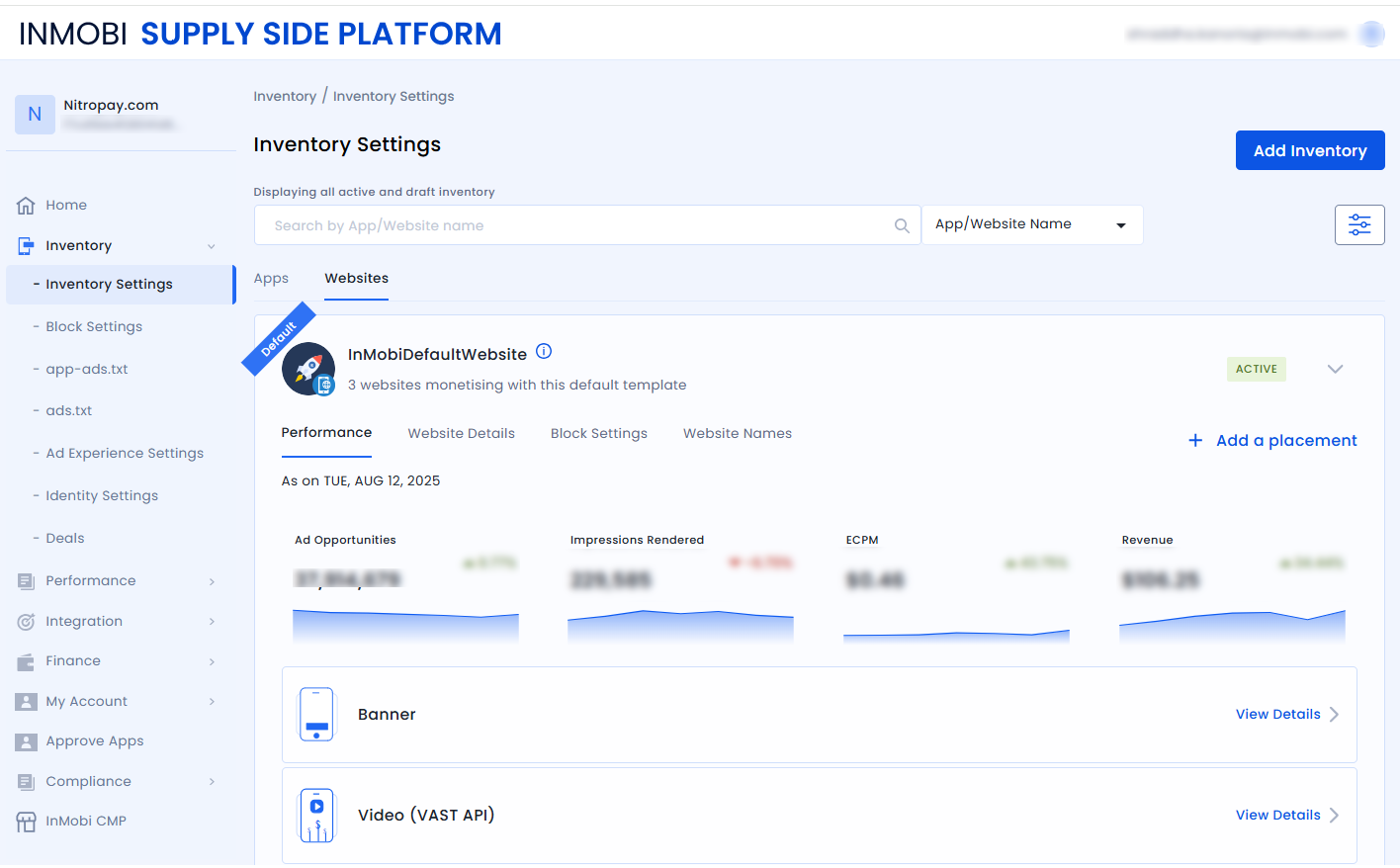
DefaultWebPlacementForBannerDefaultWebPlacementForVideoDefaultWebPlacementForNativeDo not edit or create new placements within the InMobiDefaultWebsite inventory group, as it may affect performance and tracking.
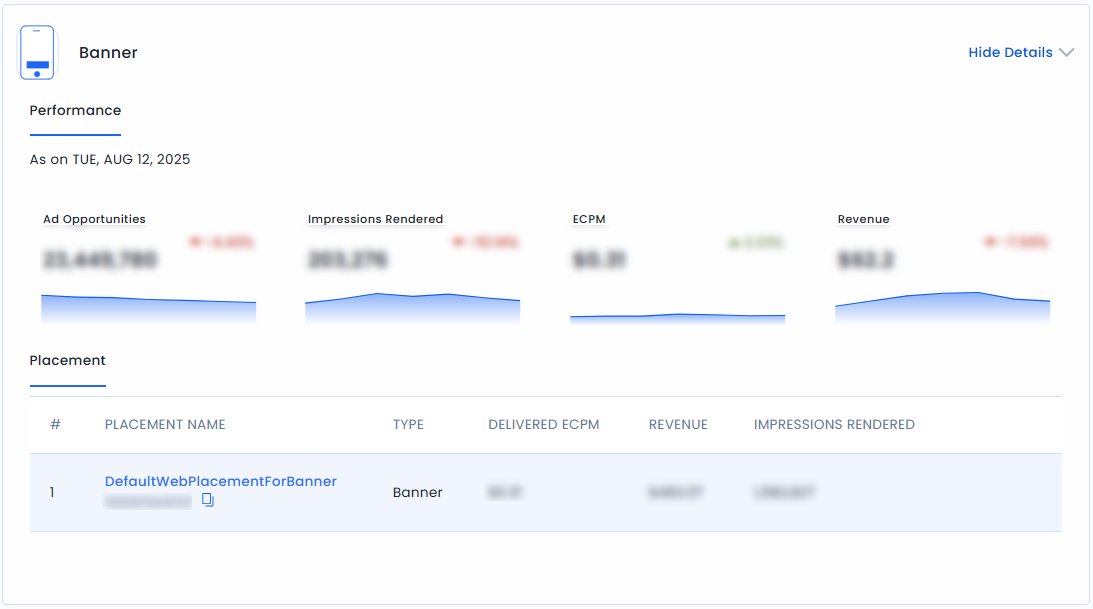
DefaultWebPlacementForBanner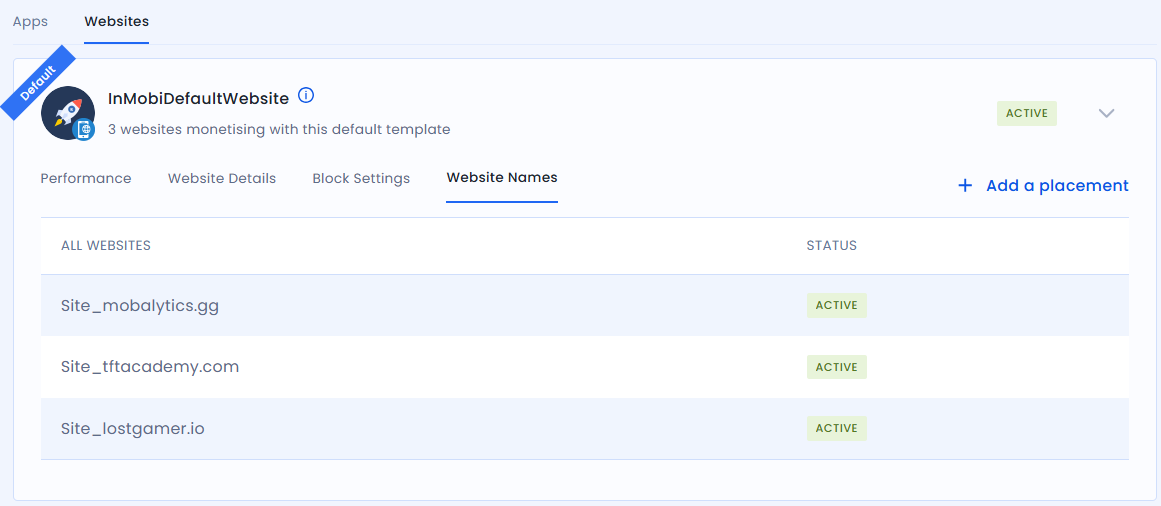
Navigate to the Block Settings tab and follow the instructions to create a block. In case you have already set your block, follow the instructions below:
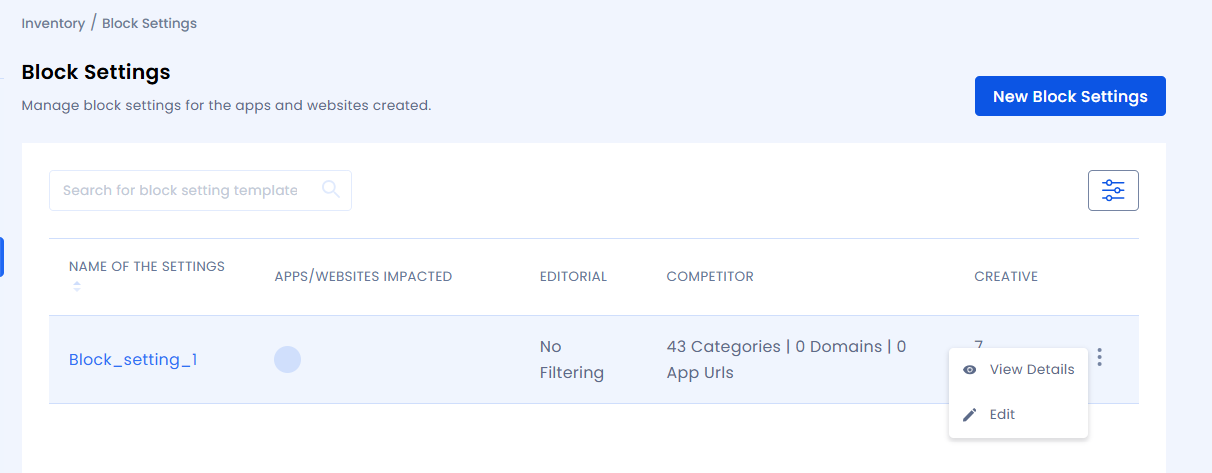
InMobiDefaultWebsite to implement across all connected domains. Otherwise, you can also search for the child domain to apply specific block settings. Block settings applied to the child domain will override the InMobiDefaultWebsite block settings..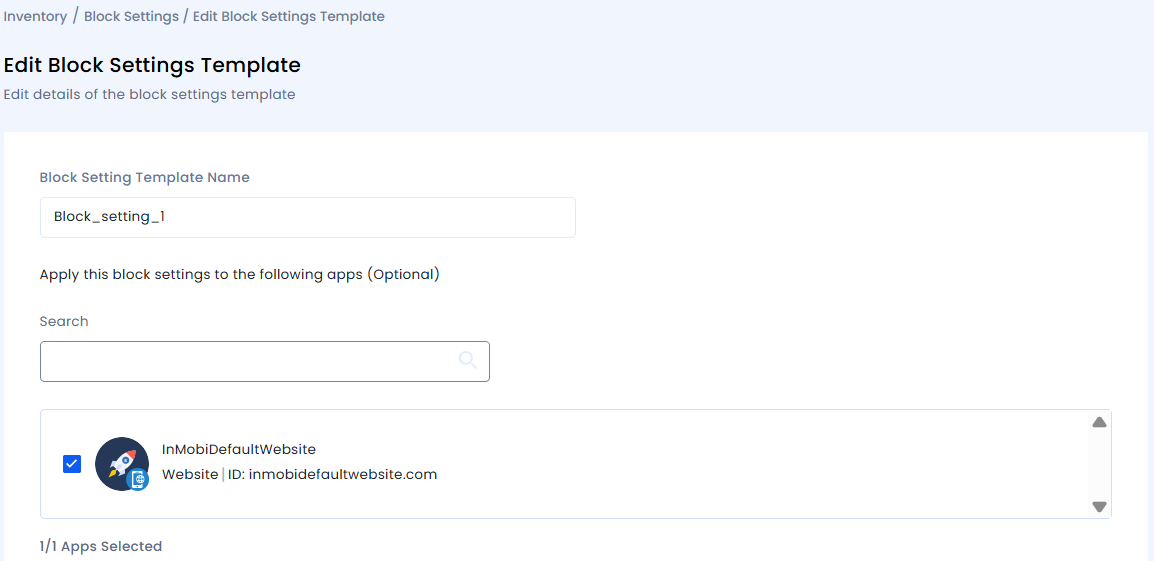
For custom block settings, contact your InMobi Account Manager or raise a support ticket.
Track performance using either InMobi Supply Side Platform (SSP) or the reporting API.
InMobiDefaultWebsite placement.Use the parameter requestBundleId in the groupBy section of the API request. For more information, see Reporting API.
Yes, the same Banner/Video/Native RON placement works across TAM, Prebid, oRTB, and more.
No, your current placement IDs and traffic flows remain unchanged.
By installing this SDK update, you agree that your Children Privacy Compliance setting remains accurate or that you will update that setting, whenever there is a change in your app's audience. You may update the app's Children Privacy Compliance settings at https://publisher.inmobi.com/my-inventory/app-and-placements.
 Support Center


