Skip to Store is an ad experience feature available on the InMobi Exchange for DSPs bidding on in-app inventory via the InMobi SDK. It enables a streamlined click-through flow that directs users to the advertiser’s destination as part of the ad experience.
This feature is designed for performance-focused campaigns such as app installs, retargeting, and commerce. It helps improve:
When enabled for an eligible impression, the InMobi SDK renders a full-screen ad experience with a single call-to-action (CTA) button.
The CTA button can direct users to:
href)Skip to Store is supported for the following ad formats:
For solutions focused on improving click-through rate (CTR) in static full-screen ads, contact your Demand Partner Manager for additional options.
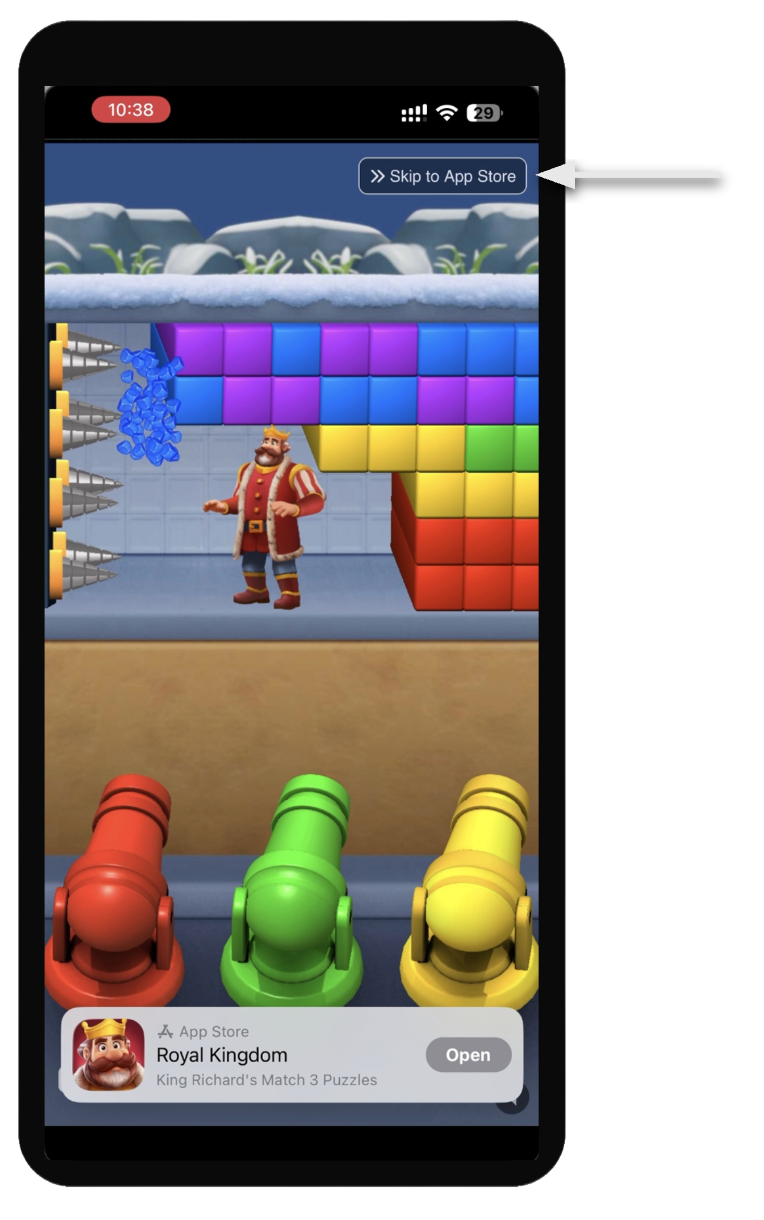
You can enable Skip to Store using one of the following methods:
InMobi can enable Skip to Store across a defined percentage of traffic for selected formats and placements.
DSPs can control Skip to Store on a per-impression basis using OpenRTB extensions.
This approach allows you to:
| Attribution | Description | Type |
|---|---|---|
skiptostore |
Indicates whether the impression is eligible for Skip to Store ( 1= eligible, 0 = not eligible). |
Integer |
| Attribution | Description | Type |
|---|---|---|
skiptostore |
Indicates whether to enable Skip to Store for the impression (1= enabled, 0 = disabled) |
Integer |
When the user clicks the Skip to Store CTA button:
What click trackers are triggered when the user clicks the CTA button?
Standard click trackers are triggered, consistent with a normal ad click. The configured click-through URL is then opened.
Which click-through URL is used?
What happens if the user clicks on the main ad asset instead of the CTA button?
If the user clicks the main ad asset (for example, the video player), the Skip to Store flow is disabled for that interaction. The default click behavior is applied.
By installing this SDK update, you agree that your Children Privacy Compliance setting remains accurate or that you will update that setting, whenever there is a change in your app's audience. You may update the app's Children Privacy Compliance settings at https://publisher.inmobi.com/my-inventory/app-and-placements.
 Support Center


