Android StoreView is part of InMobi’s suite of ad behavior enhancements. It is an InMobi SDK-powered ad experience that allows users to quickly preview key elements of an app’s Google Play Store page directly within the ad flow.
This experience presents a lightweight, store-like interface that mirrors the Google Play product page, featuring elements such as app description, scrollable screenshots, and relevant metadata. It provides users with immediate context about the advertised app without requiring them to leave the host app.
StoreView automatically appears at the end of a video ad, overlaying the end card in a format similar to iOS Auto StoreKit. Users can dismiss it or interact with it. On interaction, a clickthrough redirects them to the Google Play Store to continue the install flow.
By increasing user intent and engagement before redirection, StoreView improves key performance metrics such as conversion rate, IPM, and overall efficiency (CPA, CPI). It is enabled by default and can be controlled by DSPs via the bid response.
This feature is available for:
StoreView is supported for app install campaigns and is disabled by default for retargeting campaigns.
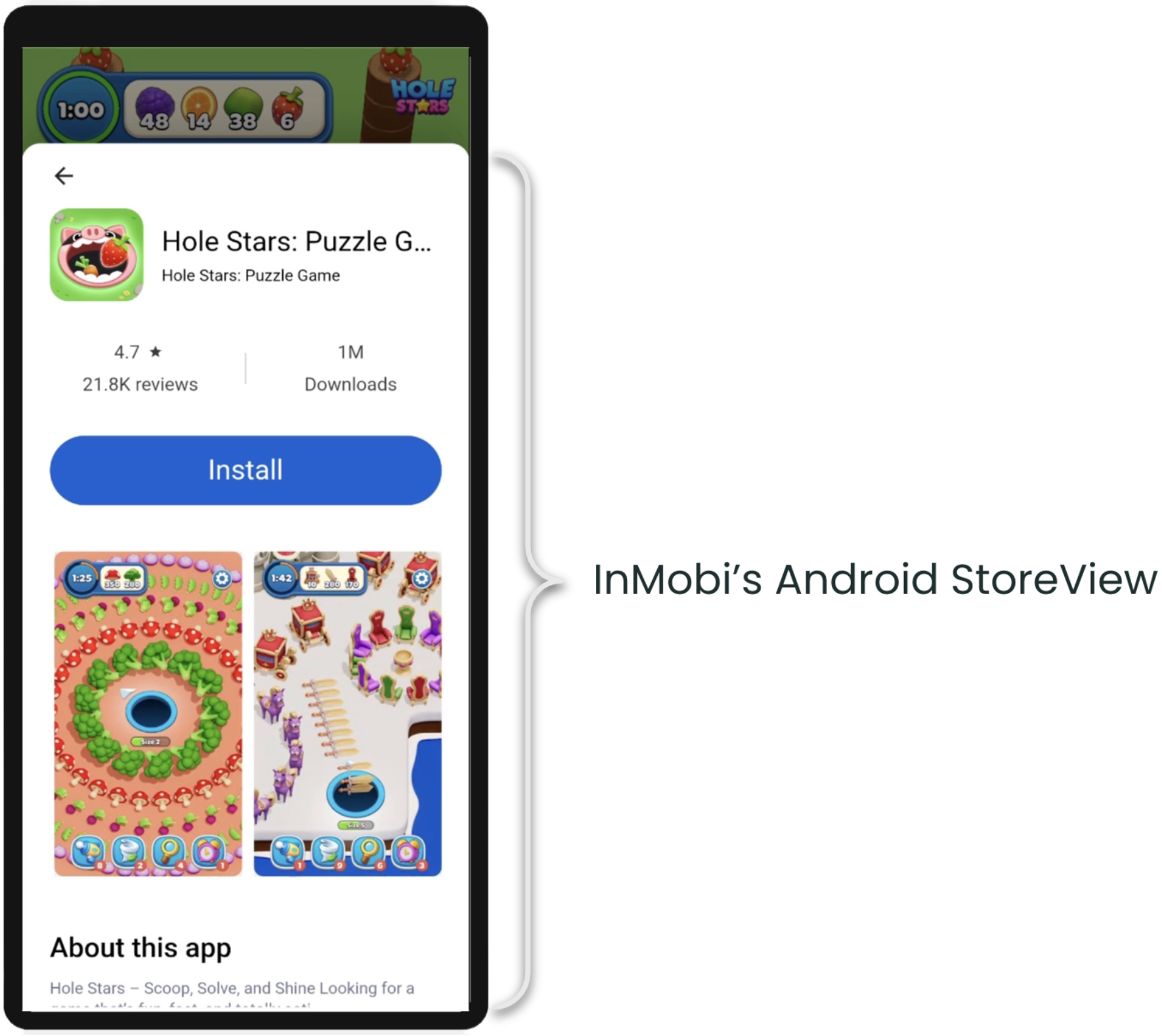
Android StoreView is enabled automatically for performance DSPs running app install campaigns. Reach out to your Demand Partner Manager to confirm activation.
DSPs can choose to enable StoreView on a per-impression basis, allowing full control over when the feature is applied. This enables optimization based on campaign goals, landing page behavior, and CTR performance, and supports straightforward A/B testing.
BidRequest.imp.ext| Attribute | Description | Type |
asv |
Indicates whether the impression opportunity is eligible for Android StoreView (1 = eligible, 0 = not eligible) |
Integer |
BidResponse.seatbid.bid.ext| Attribute | Description | Type |
asv |
Indicates whether Android StoreView is enabled for this impression (1 = enabled, 0 = disabled, default value = 0) |
Integer |
By installing this SDK update, you agree that your Children Privacy Compliance setting remains accurate or that you will update that setting, whenever there is a change in your app's audience. You may update the app's Children Privacy Compliance settings at https://publisher.inmobi.com/my-inventory/app-and-placements.
 Support Center


