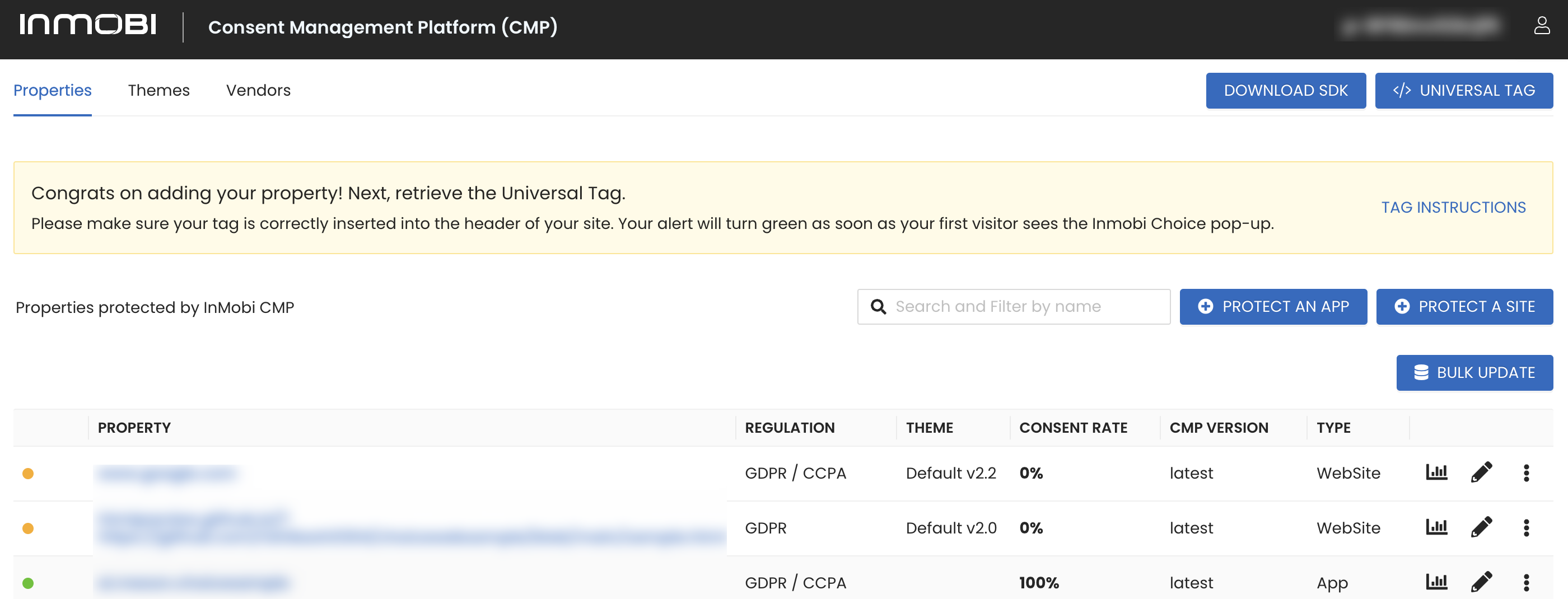
InMobi CMP provides statistical reporting so that you can monitor performance. To access these reports, start on the CMP Portal.
-
Click the site name or the graphs icon.
-
On the Reports page, you will find the following information for your selected site: How many times InMobi CMP was shown, the Consent rate and Bounce Rate, and a detailed breakout of the full, partial, or no consent given.
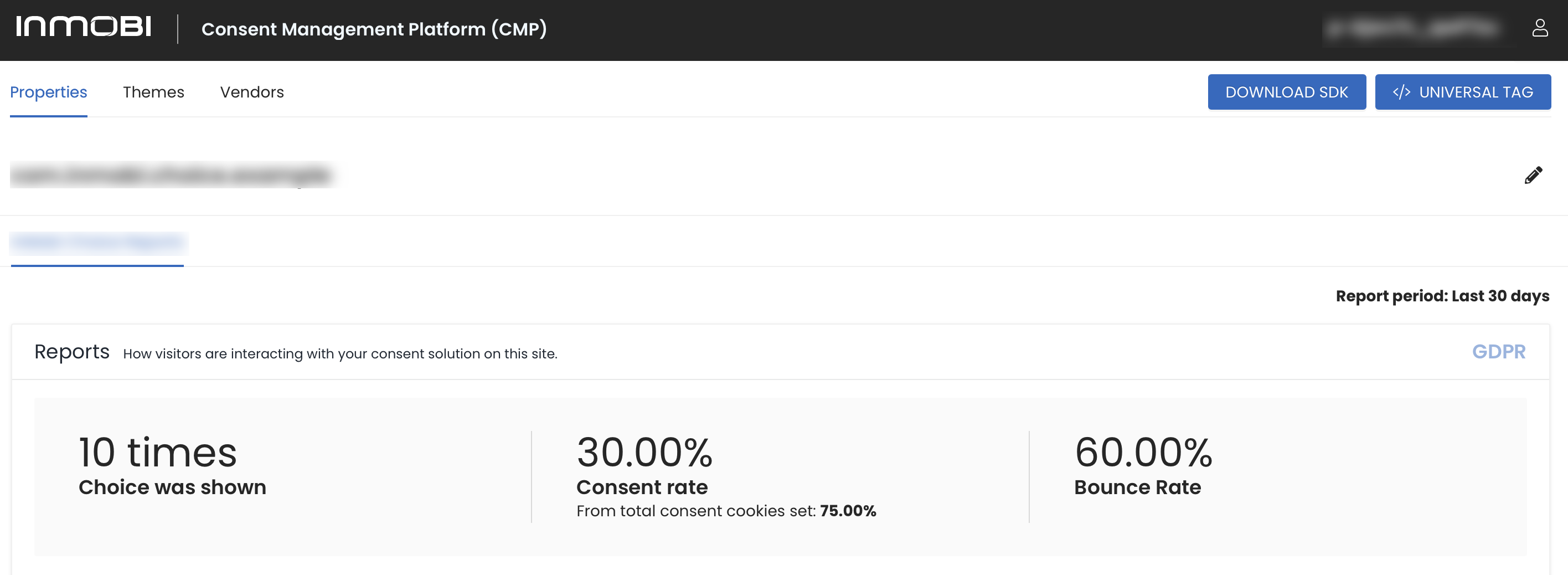
- Choice was shown: Shows the number of times the CMP was shown.
- Consent Rate: Shows the consent rate calculated from total consent cookies seen. This is calculated by accepted (all + partial) / the number of times the user made a choice (excluding bounces). Ex: (Accept All (17) + Accept Some (0)) / ((Shown (21) - bounce (2)) -> 17/19 = 80.95%.
- Bounce Rate: Shows the percentage of times the CMP was shown, but with no acceptance value received from the user (e.g - closing the tab, close page, any bot traffic on your page). This is calculated by: bounce (2) / shown (21) = 9.52%
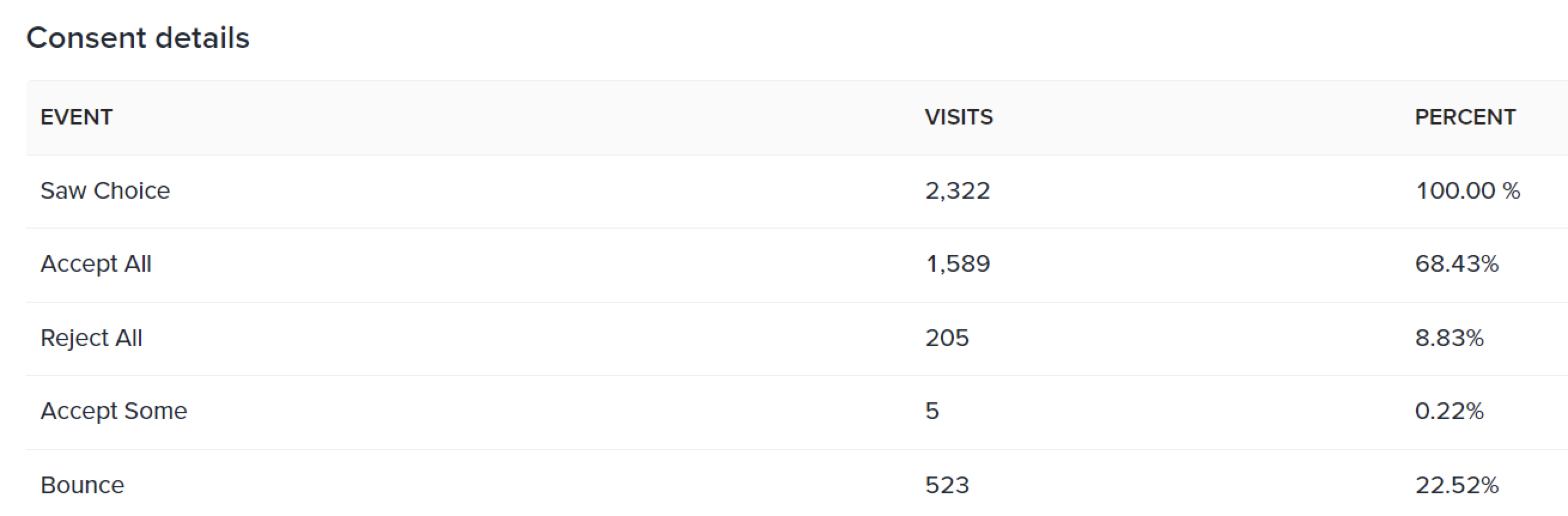
- Saw Choice: The percentage the CMP was shown; this will always be 100%.
- Accept All: The number of users who accepted all consent configs (agreed without making any modification). The percentage is calculated by: Accept All visits (17) / Saw Choice (21)) = 80.95%.
- Reject All: The number of users who rejected all consent configs on the CMP (disagreed to the consent terms). The percentage is calculated by Reject All visits (2) / Saw Choice (21) = 9.52%.
- Accept Some: Represents the number of users accepted self-defined consent configs on the CMP. The percentage is calculated by Accept Some visits (0) / Saw Choice (21) = 0%.
- Bounce: Shows the percentage of times the CMP was shown but had no interaction with the user because the CMP was indirectly dismissed (for example, the browser or tab was closed, any bot traffic on your page). This is calculated by: bounce (2) / shown (21) = 9.52%.
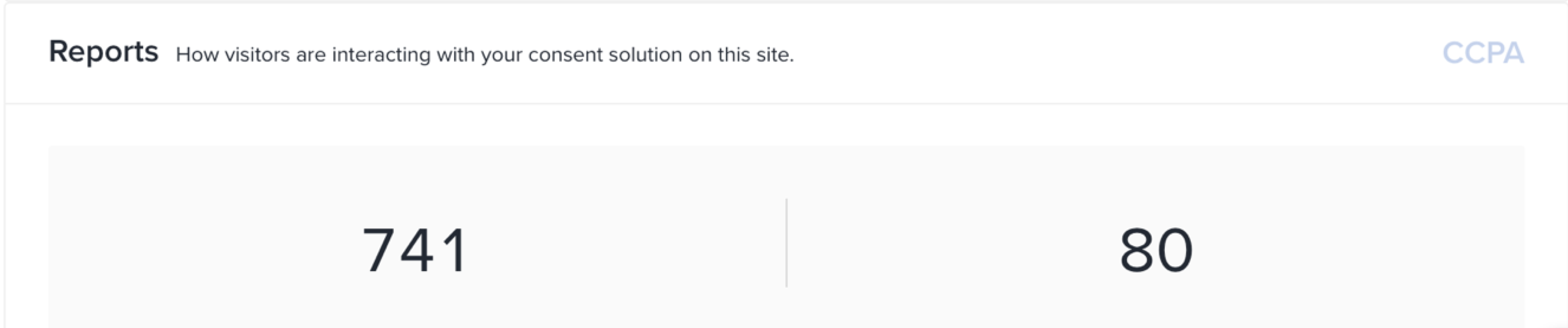
In the CCPA report, you will find stats for how many users have launched the CCPA UX (on the left) and how many users have asked to not sell their data (on the right).
 Support Center


