简介
本指南介绍如何将 InMobi 与 Google AdMob 上的竞价 SDK 集成。它采用直接投放路径,以实现更佳的信号收集和广告渲染效果,并支持横幅广告、插页式广告、原生广告和激励视频广告格式。
先决条件
开始集成之前,请确保您已准备好以下物品:
- InMobi账户
- 一个有效的 Google AdMob 帐户
- 与 InMobi 签订合同
- 与 InMobi 适配器和 SDK 集成。我们建议使用最新版本。可下载Android和iOS 版本。
- 支持的格式:横幅广告、插页式广告、激励视频广告和原生广告
- 仅支持应用内库存
- 支持瀑布式定价和竞价定价。
- 对于非 SDK 集成,请参阅Google Open Bidding。
笔记
Google 负责管理 AdMob SDK 竞价的付款和结算。有关付款、结算或报告信息,请参阅 Google 控制面板。
请按照以下步骤在 InMobi 发行商控制面板上设置您的帐户和库存。
投标
- 注册 或登录您的 InMobi 供应方平台 帐户。
- 按照“添加库存”中概述的步骤添加您的应用。
- 按如下方式创建新职位
- 搜索你想为其创建广告位的应用,然后点击+ 添加广告位。
- 选择广告单元。
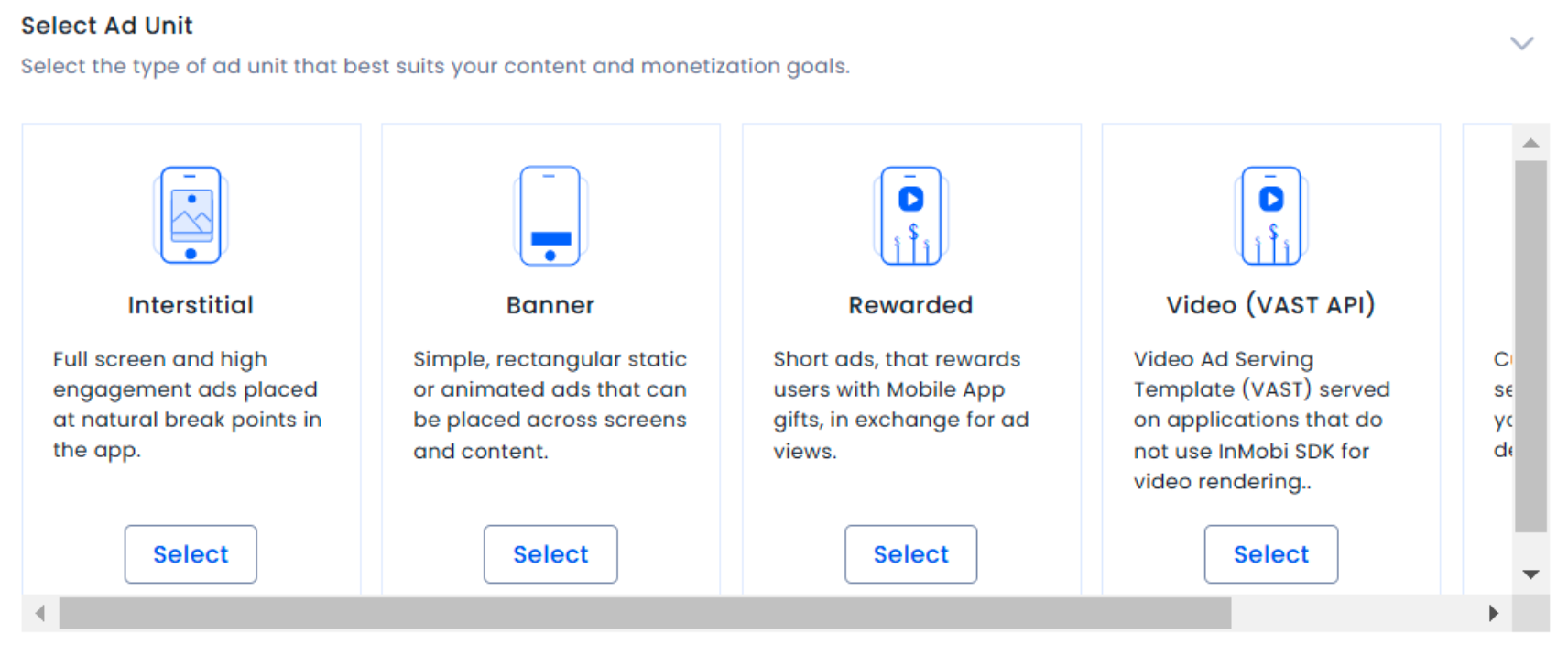
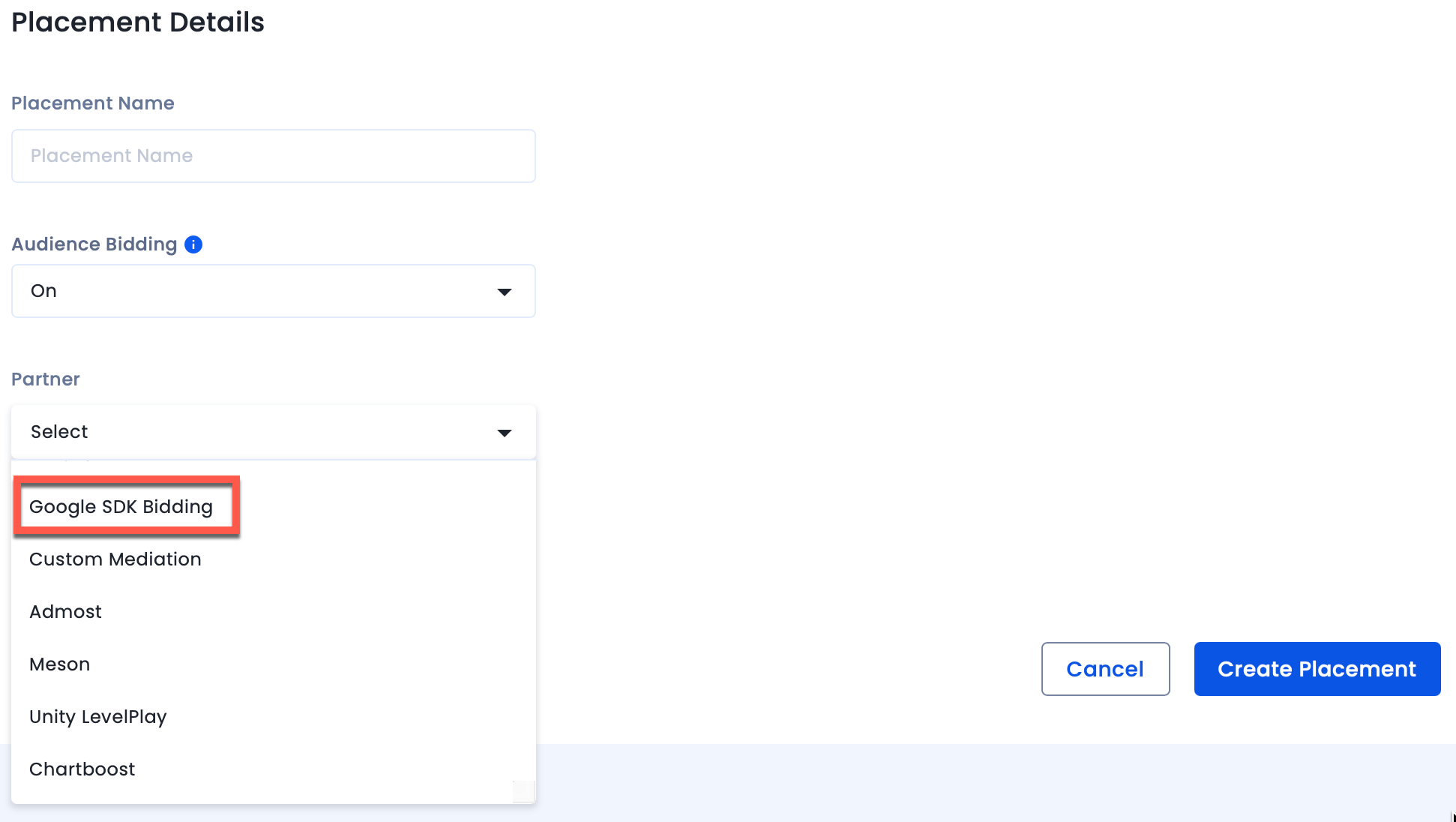
- 为广告位命名并启用受众群体出价。 从“合作伙伴”下拉菜单中选择“Google SDK 出价”。点击“创建广告位”。
瀑布
- 注册或登录您的 InMobi 供应方平台帐户。
- 按照“添加库存”中概述的步骤添加您的应用。
- 按如下方式创建新职位:
- 搜索你想为其创建广告位的应用,然后点击+ 添加广告位。
- 选择广告单元。
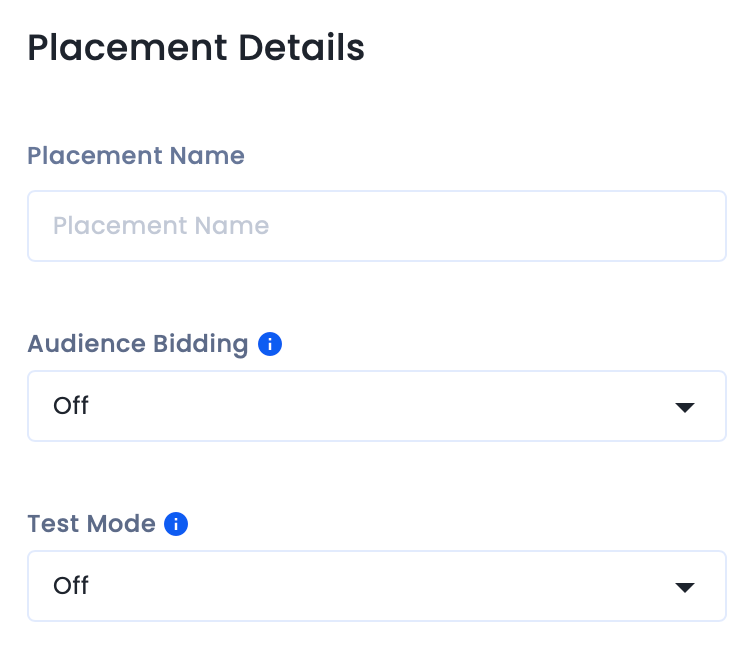
- 为广告位命名,并在“受众竞价” 下拉菜单中 选择“关闭”。点击“创建广告位”。
在 Google AdMob 上添加 InMobi 作为广告来源
投标
- 导航至中介 >> 竞价来源 >> 设置广告来源。
- 请阅读并接受SDK竞价条款。
- 将InMobi (SDK)配置为新的广告来源。请勿选择 InMobi Exchange,因为它仅适用于 Google 公开竞价,不适用于 Google SDK 竞价。
- 启用所有安全信号以与 InMobi SDK 共享。这是强制性的,因为如果未启用安全信号,广告请求将失败。有关更多信息,请参阅“关于安全信号”。
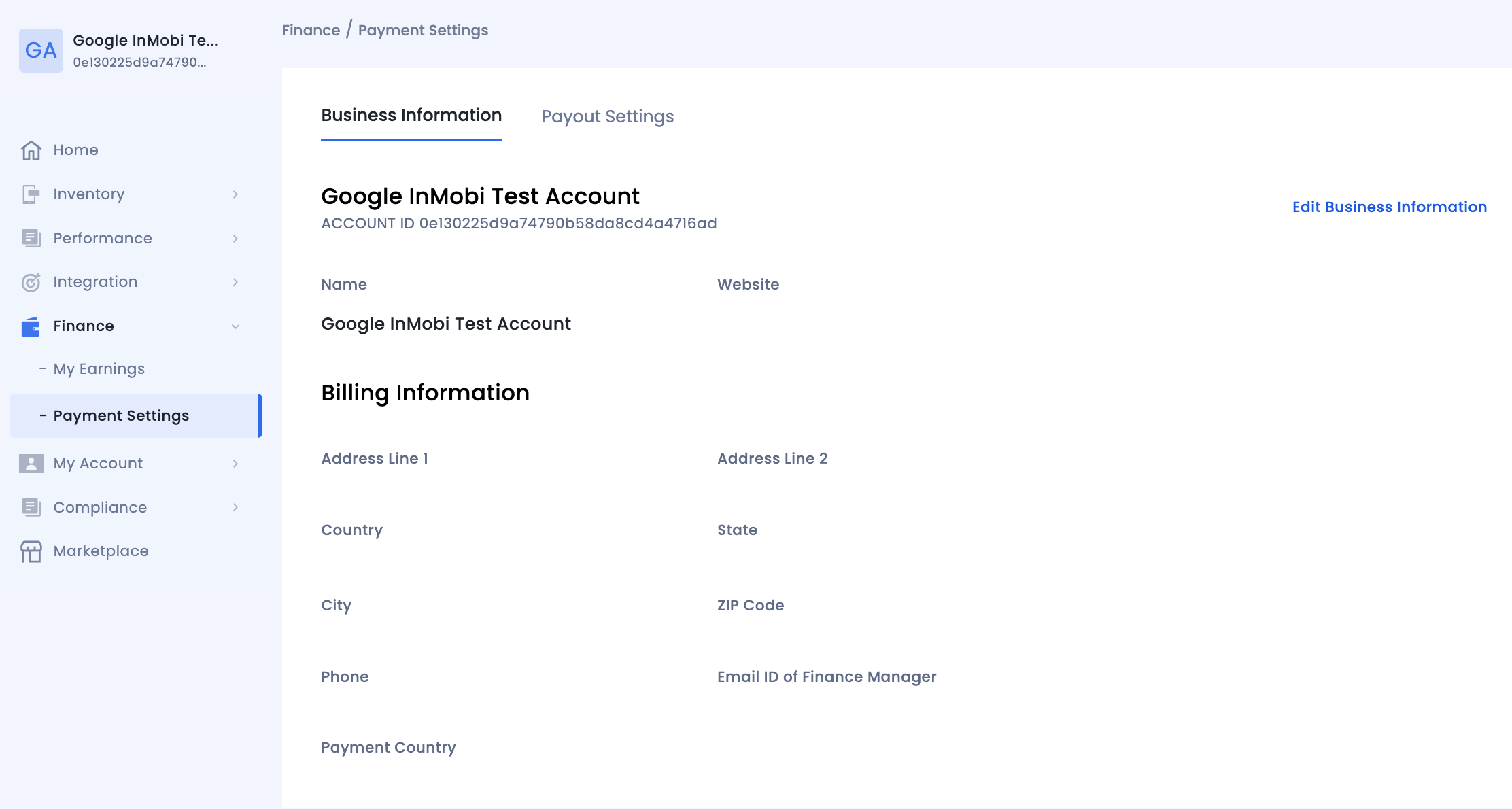
- 使用相应的 InMobi 帐户 ID 和广告位 ID 完成广告单元映射。
- 您的 InMobi 帐户 ID 可在 “财务”>“付款设置”>“商家信息”下找到。
- 在广告位名称下 找到InMobi 广告位 ID 。

如需故障排除,请参阅“入门及合作伙伴竞价故障排除”。
有关 Google AdMob 文档,请参阅“将 InMobi 与iOS和Android 的中介功能集成”。
瀑布
- 在 “广告来源”部分的“瀑布图”卡片下 ,选择 “添加广告来源”。
- 选择 InMobi 并启用 “优化” 开关。输入 用户名 和 API 密钥 ,为 InMobi 设置广告来源优化。
- 要查找您的 InMobi Reporting API 密钥:
- 前往 “我的账户”>“账户设置”。导航至 “API密钥”选项卡,然后点击 “生成API密钥”。
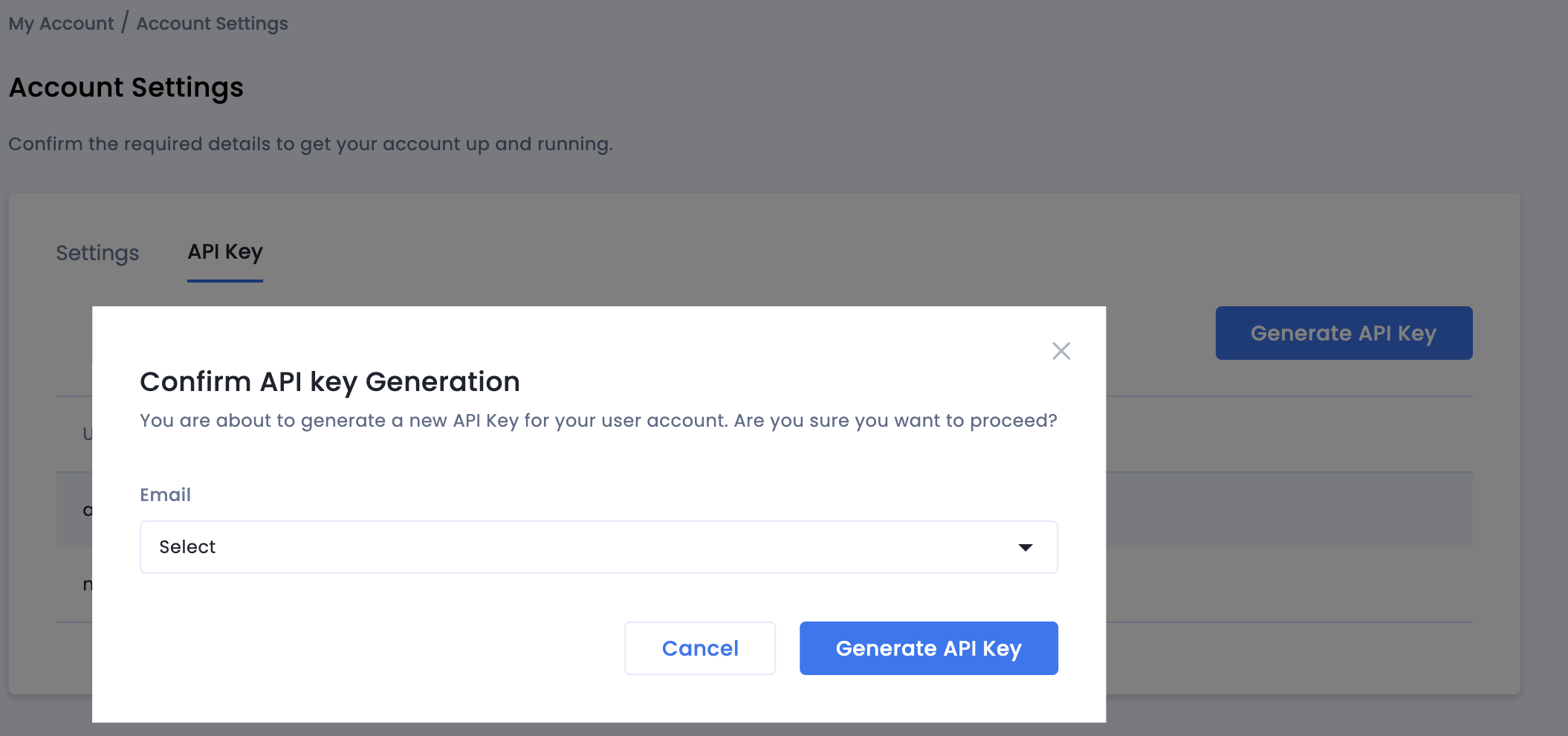
- Select the email of the user the key is required for and click Generate API Key. A file containing the API key and username/login name will be generated.
- Then enter an eCPM value for InMobi and click Continue.
Configure Ad Unit Mapping
- If you already have a mapping for InMobi, you can select it. Otherwise, click Add mapping.
- Next, enter your InMobi Account ID and Placement ID. Click Done.
- Your InMobi Account ID is available under Finance > Payment Settings > Business Information.
- Find the InMobi Placement ID under the placement name.
Test Your Integration
To ensure AdMob SDK relays the ad request to InMobi for testing, you can do the following on your AdMob dashboard.
- Set manual Ad network optimization for every network, including AdMob. Uncheck the Ad network optimization checkbox.
- Set manual eCPM floors for all networks, keeping the eCPM floor for InMobi higher than other networks. This will ensure that the ad request gets relayed to InMobi for testing.
导入 InMobi SDK 和适配器
在 SSP 上设置好 InMobi 并将其作为 AdMob 中的广告来源添加后,导入 InMobi SDK 和适配器。
GDPR 附加说明
请按照以下关于 Google 信息中心 GDPR 设置的其他说明进行操作,以获得更高的变现效果。以下配置适用于来自欧洲经济区的流量以及出于 GDPR 同意目的而使用 AdMob/GAM CMP 的发布商。Google CMP 提供两种方式在其 AdMob/GAM 平台上添加广告合作伙伴:
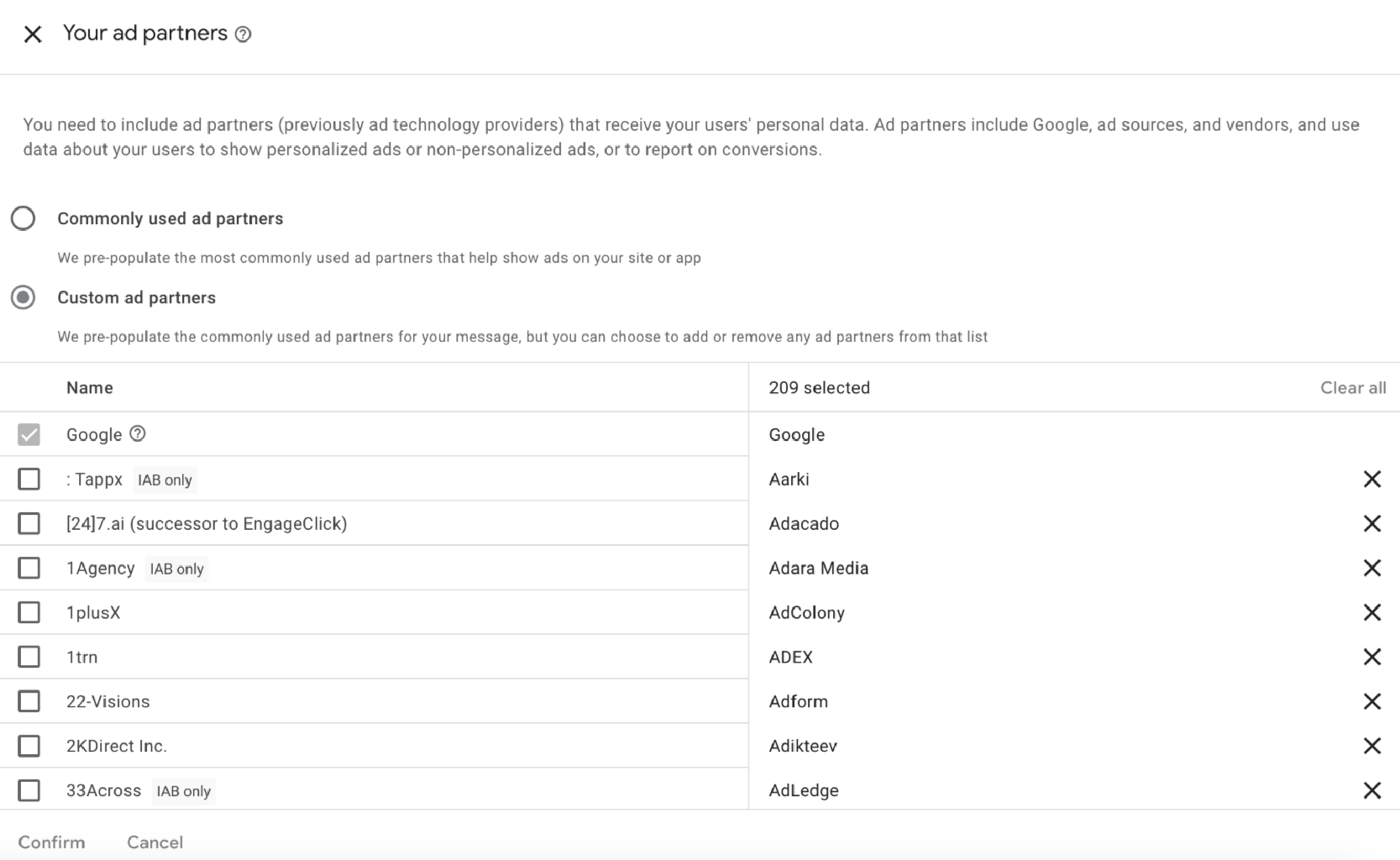
InMobi 默认情况下不属于“常用广告合作伙伴”,您必须通过选择“自定义广告合作伙伴”手动添加它。
请按照以下说明在 Google 信息中心的“自定义广告合作伙伴”下启用 InMobi。
- 在Google 信息中心,选择“隐私 和 消息传递” >“GDPR 设置” >“查看您的广告合作伙伴”。
- 从列表中选择“自定义广告合作伙伴”,然后选择“InMobi” ,并保存设置。
如需更多帮助,请联系我们。
 Support Center


