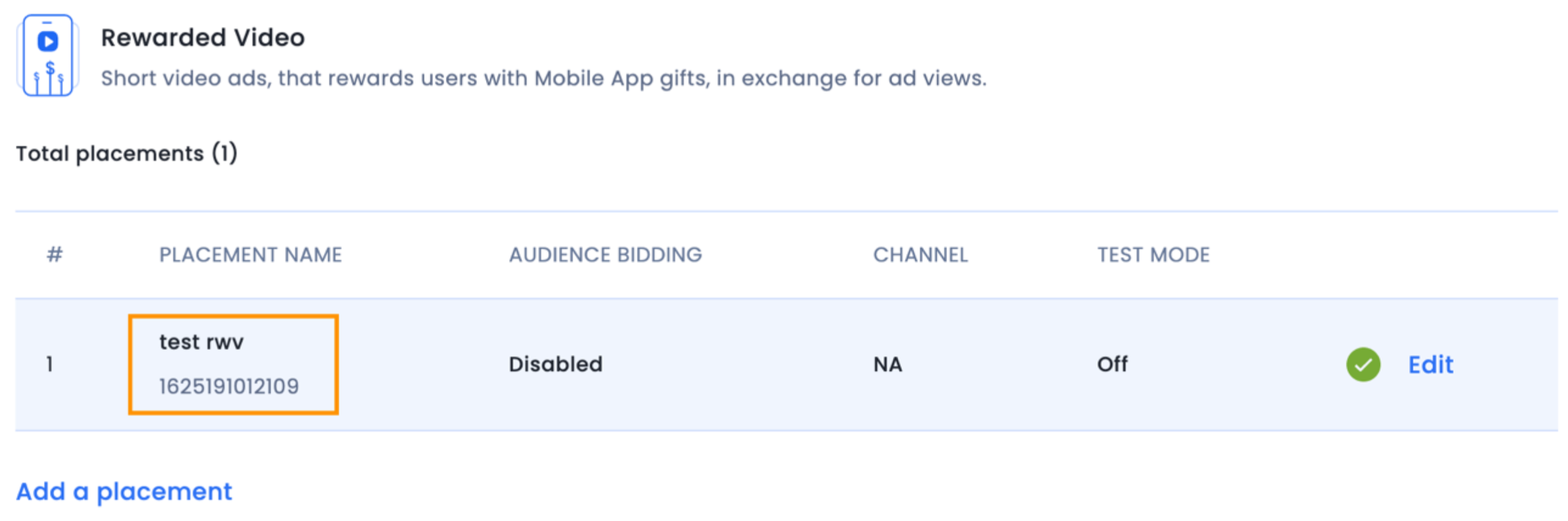
激励视频广告使用 IMInterstitial 类。该类IMInterstitial是一个UIViewController子类,用于显示响应用户触摸的全屏广告。
按照以下步骤,通过程序化方式创建激励视频广告单元:
导入头文件并在根目录中声明一个插页式实例ViewController.h 。ViewController.swift您的ViewController头文件应如下所示:
#import  <UIKit/UIKit.h>
@import InMobiSDK;
@interface ViewController : UIViewController <IMInterstitialDelegate>
@property (nonatomic, strong) IMInterstitial *interstitial;
@end
import UIKit
import InMobiSDK
class ViewController: UIViewController, IMInterstitialDelegate {
    var interstitial: IMInterstitial?
}
实例化插页式广告对象。每个广告位 ID 只创建一个对象,并在后续广告加载时重复使用。文件 viewDidLoad 中的方法ViewController.m应如下所示:
-(void)viewDidLoad {
    [super viewDidLoad];
    self. interstitial = [[IMInterstitial alloc] initWithPlacementId:<Insert your placement ID here>];
    self. interstitial.delegate = self;
    [self.interstitial load];
}
override func viewDidLoad() {
    super.viewDidLoad()
    interstitial = IMInterstitial.init(placementId: <Insert your placement here.>)
    interstitial?.delegate = self
    interstitial?.load()
}
对于广告状态回调,请实现代理方法IMInterstitialDelegate。以下是支持的回调:
- (void)interstitialDidFinishLoading:(IMInterstitial *)interstitial {
    NSLog(@"interstitialDidFinishLoading");
}
- (void)interstitial:(IMInterstitial *)interstitial didFailToLoadWithError:
(IMRequestStatus *)error {
    NSLog(@"Interstitial failed to load ad");
    NSLog(@"Error : %@",error.description);
}
- (void)interstitial:(IMInterstitial *)interstitial didFailToPresentWithError:
(IMRequestStatus *)error {
    NSLog(@"Interstitial didFailToPresentWithError");
    NSLog(@"Error : %@",error.description);
}
- (void)interstitialWillPresent:(IMInterstitial *)interstitial {
    NSLog(@"interstitialWillPresent");
}
- (void)interstitialDidPresent:(IMInterstitial *)interstitial {
    NSLog(@"interstitialDidPresent");
}
- (void)interstitialWillDismiss:(IMInterstitial *)interstitial {
    NSLog(@"interstitialWillDismiss");
}
- (void)interstitialDidDismiss:(IMInterstitial *)interstitial {
    NSLog(@"interstitialDidDismiss");
}
- (void)userWillLeaveApplicationFromInterstitial:(IMInterstitial *)interstitial {
    NSLog(@"userWillLeaveApplicationFromInterstitial");
}
- (void)interstitial:(IMInterstitial *)interstitial rewardActionCompletedWithRewards:
(NSDictionary *)rewards {
    NSLog(@"rewardActionCompletedWithRewards");
}
- (void)interstitial:(IMInterstitial *)interstitial didInteractWithParams:(NSDictionary *)params {
    NSLog(@"InterstitialDidInteractWithParams");
}
/ * Not used for direct integration. Notifies the delegate that the ad server has returned an ad but assets are not yet available. */
- (void)interstitialDidReceiveAd:(IMInterstitial *)interstitial {
  NSLog(@"interstitialDidReceiveAd");
}
public func interstitialDidReceiveAd(_ interstitial: IMInterstitial) {
        print("[ViewController %@] \(#function)")
    }
    public func interstitialDidFinishLoading(_ interstitial: IMInterstitial) {
        print("[ViewController %@] \(#function)")
    }
    public func interstitial(_ interstitial: IMInterstitial, didFailToLoadWithError error: IMRequestStatus) {
        print("[ViewController %@] \(#function)")
        print("Interstitial ad failed to load with error \(error)" )
    }
    public func interstitialWillPresent(_ interstitial: IMInterstitial) {
        print("[ViewController %@] \(#function)")
    }
    public func interstitialDidPresent(_ interstitial: IMInterstitial) {
        print("[ViewController %@] \(#function)")
    }
    public func interstitial(_ interstitial: IMInterstitial, didFailToPresentWithError error: IMRequestStatus) {
        print("[ViewController %@] \(#function)")
        print("Interstitial ad failed to present with error \(error)" )
    }
    public func interstitialWillDismiss(_ interstitial: IMInterstitial) {
        print("[ViewController %@] \(#function)")
    }
    public func interstitialDidDismiss(_ interstitial: IMInterstitial) {
        print("[ViewController %@] \(#function)")
    }
    public func interstitial(_ interstitial: IMInterstitial, didInteractWithParams params: [String : Any]?) {
        print("[ViewController %@] \(#function)")
    }
    public func interstitial(_ interstitial: IMInterstitial, rewardActionCompletedWithRewards rewards: [String : Any]) {
        print("[ViewController %@] \(#function)")
    }
    public func userWillLeaveApplicationFromInterstitial(_ interstitial: IMInterstitial) {
        print("[ViewController %@] \(#function)")
    }
要显示插页式广告,请使用以下代码:
[self.interstitial showFrom:self];
[self.interstitial showFrom:self with:IMInterstitialAnimationTypeAsNone];
interstitial?.show(from: self)
//interstitial?.show(from: self, with:.coverVertical)
以下是可能的动画类型:
IMInterstitialAnimationTypeCoverVerticalIMInterstitialAnimationTypeFlipHorizontalIMInterstitialAnimationTypeAsNone重要的
interstitialDidFinishLoading在调用 `show()` 之前触发委托showFromViewController。否则,会触发错误回调interstitial:didFailToPresentScreenWithError:。持续监听插页式广告状态,仅在广告完全加载后才调用 `show()`。[self.interstitial load];再次调用此功能。否则,您将无法showFromViewController再次调用。interstitial:rewardActionCompletedWithRewards:的方法。如果您已在 InMobi 门户网站上设置了奖励,则可以在此处访问 JSON 字典。IMInterstitialDelegate以下是可能的动画类型:
coverVerticalflipHorizontalnone重要的
interstitialDidFinishLoading在调用 `show()` 之前触发委托show(from viewController: UIViewController!)。否则,会触发错误回调interstitial(_ interstitial: IMInterstitial!, didFailToLoadWithError error: IMRequestStatus!)。持续监听插页式广告状态,仅在广告完全加载后才调用 `show()`。interstitial?.load()再次调用此功能。否则,您将无法show(from viewController: UIViewController!)再次调用。interstitial(_ interstitial: IMInterstitial!, rewardActionCompletedWithRewards rewards: [AnyHashable : Any]!)的方法。如果您已在 InMobi 门户网站上设置了奖励,则可以在此处访问 JSON 字典。IMInterstitialDelegateBy installing this SDK update, you agree that your Children Privacy Compliance setting remains accurate or that you will update that setting, whenever there is a change in your app's audience. You may update the app's Children Privacy Compliance settings at https://publisher.inmobi.com/my-inventory/app-and-placements.
 Support Center


