您可以在这里查看GitHub上插页式广告集成的代码示例。
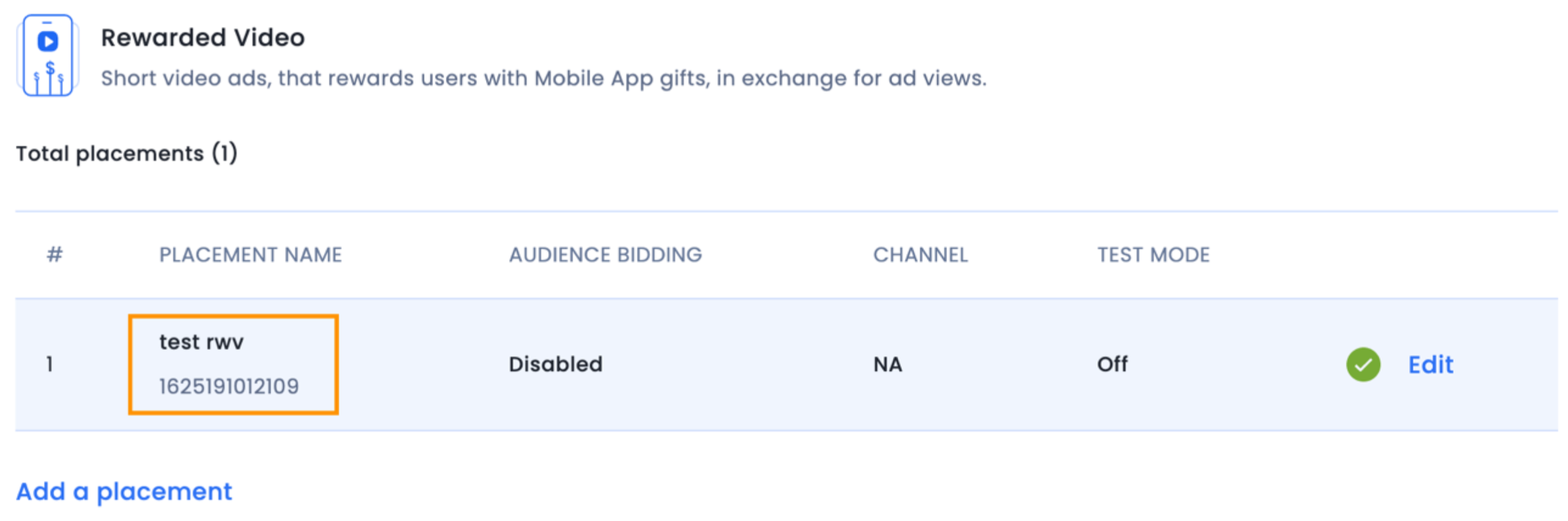
InMobi SDK 无论如何都会提供回调,因此您可以选择不填写任何内容,完全在您自己的端处理奖励。
要创建激励视频广告,请创建以下实例InMobiInterstitial:
InMobiInterstitial interstitialAd = new InMobiInterstitial(InterstitialAdsActivity.this, 1471550843414L,
mInterstitialAdEventListener);
val interstitialAd = InMobiInterstitial(this@InterstitialAdsActivity, 1471550843414L,
mInterstitialAdEventListener)
这里mInterstitialAdEventListener是抽象类的一个实现InterstitialAdEventListener。创建插页式广告必须提供此接口的实现。
抽象类InterstitialAdEventListener允许您监听插页式广告的关键生命周期事件。您应该监听这些事件,以确保您的应用程序能够正确处理各种生命周期转换。
/**
 * Listener for receiving notifications during the lifecycle of an interstitial.
 */
public abstract class InterstitialAdEventListener {
    /**
     * Called to indicate that an ad was loaded and it can now be shown. This will always be called
     * after the {@link #onAdFetchSuccessful(InMobiInterstitial, AdMetaInfo)} callback.
     *
     * @param ad Represents the {@link InMobiInterstitial} ad which was loaded
     * @param info Represents the ad meta information
     */
    public void onAdLoadSucceeded(@NonNull InMobiInterstitial ad, @NonNull AdMetaInfo info) {}
    /**
     * Callback to signal that a request to fetch an ad (by calling
     * {@link InMobiInterstitial#load()} failed. The status code indicating the reason for failure
     * is available as a parameter. You should call {@link InMobiInterstitial#load()} again to
     * request a fresh ad.
     *
     * @param ad Represents the {@link InMobiInterstitial} ad which failed to load
     * @param status Represents the {@link InMobiAdRequestStatus} status containing error reason
     */
    public void onAdLoadFailed(@NonNull InMobiInterstitial ad, InMobiAdRequestStatus status) {}
    /**
     * Called to indicate that an ad is available in response to a request for an ad (by calling
     * {@link InMobiInterstitial#load()}.Note: This does not
     * indicate that the ad can be shown yet. Your code should show an ad after the
     * {@link #onAdLoadSucceeded(InMobiInterstitial)} method is called. Alternately, if you do not
     * want to handle this event, you must test if the ad is ready to be shown by checking the
     * result of calling the {@link InMobiInterstitial#isReady()} method.
     *
     * @param ad Represents the {@link InMobiInterstitial} ad for which ad content was received
     * @param info Represents the ad meta information
     */
    public void onAdFetchSuccessful(@NonNull InMobiInterstitial ad, @NonNull AdMetaInfo info) {}
    /**
     * Called to indicate that an ad interaction was observed.
     *
     * @param ad Represents the {@link InMobiInterstitial} ad on which user clicked
     * @param params Represents the click parameters
     */
    public void onAdClicked(@NonNull InMobiInterstitial ad, Map < Object, Object > params) {}
    /**
     * Called to indicate that the ad will be launching a fullscreen overlay.
     *
     * @param ad Represents the {@link InMobiInterstitial} ad which will display
     */
    public void onAdWillDisplay(@NonNull InMobiInterstitial ad) {}
    /**
     * Called to indicate that the fullscreen overlay is now the topmost screen.
     *
     * @param ad Represents the {@link InMobiInterstitial} ad which is displayed
     * @param info Represents the ad meta information
     */
    public void onAdDisplayed(@NonNull InMobiInterstitial ad, @NonNull AdMetaInfo info) {}
    /**
     * Called to indicate that a request to show an ad (by calling {@link InMobiInterstitial#show()}
     * failed. You should call {@link InMobiInterstitial#load()} to request for a fresh ad.
     *
     * @param ad Represents the {@link InMobiInterstitial} ad which failed to show
     */
    public void onAdDisplayFailed(@NonNull InMobiInterstitial ad) {}
    /**
     * Called to indicate that the fullscreen overlay opened by the ad was closed.
     *
     * @param ad Represents the {@link InMobiInterstitial} ad which was dismissed
     */
    public void onAdDismissed(@NonNull InMobiInterstitial ad) {}
    /**
     * Called to indicate that the user may leave the application on account of interacting with the ad.
     *
     * @param ad Represents the {@link InMobiInterstitial} ad
     */
    public void onUserLeftApplication(@NonNull InMobiInterstitial ad) {}
    /**
     * Called to indicate that rewards have been unlocked.
     *
     * @param ad Represents the {@link InMobiInterstitial} ad for which rewards was unlocked
     * @param rewards Represents the rewards unlocked
     */
    public void onRewardsUnlocked(@NonNull InMobiInterstitial ad, Map < Object, Object > rewards) {}
}
/**
* Listener for receiving notifications during the lifecycle of an interstitial.
*/
abstract class InterstitialAdEventListener : AdEventListener<inmobiinterstitial>() {
   /**
    * Called to notify that an ad preload has failed.
    *
    ***Note** This notification is given only when you use `preload()` in
    * [InMobiInterstitial.preloadManager]
    *
    * @param ad     Represents the [InMobiInterstitial] ad which was preloaded
    * @param status Represents the [InMobiAdRequestStatus] status containing error reason
    */
   open fun onAdFetchFailed(ad: InMobiInterstitial, status: InMobiAdRequestStatus) {}
   /**
    * Called to indicate that the ad will be launching a fullscreen overlay.
    *
    * @param ad Represents the [InMobiInterstitial] ad which will display
    */
   open fun onAdWillDisplay(ad: InMobiInterstitial) {}
   /**
    * Called to indicate that the fullscreen overlay is now the topmost screen.
    *
    * @param ad   Represents the [InMobiInterstitial] ad which is displayed
    * @param info Represents the meta info for the ad displayed
    */
   open fun onAdDisplayed(ad: InMobiInterstitial, info: AdMetaInfo) {}
   /**
    * Called to indicate that a request to show an ad (by calling [InMobiInterstitial.show]
    * failed. You should call [InMobiInterstitial.load] to request for a fresh ad.
    *
    * @param ad Represents the [InMobiInterstitial] ad which failed to show
    */
   open fun onAdDisplayFailed(ad: InMobiInterstitial) {}
   /**
    * Called to indicate that the fullscreen overlay opened by the ad was closed.
    *
    * @param ad Represents the [InMobiInterstitial] ad which was dismissed
    */
   open fun onAdDismissed(ad: InMobiInterstitial) {}
   /**
    * Called to indicate that the user may leave the application on account of interacting with the ad.
    *
    * @param ad Represents the [InMobiInterstitial] ad
    */
   open fun onUserLeftApplication(ad: InMobiInterstitial) {}
   /**
    * Called to indicate that rewards have been unlocked.
    *
    * @param ad      Represents the [InMobiInterstitial] ad for which rewards was unlocked
    * @param rewards Represents the rewards unlocked
    */
   open fun onRewardsUnlocked(ad: InMobiInterstitial, rewards: Map<any, any="">) {}
}
要请求插页式广告,请调用实例load()上的相应方法InMobiInterstitial:
interstitialAd.load();
interstitialAd.load()
您将通过事件接口收到此方法的结果通知InterstitialAdEventListener。如果广告请求成功,onAdFetchSuccessful(InMobiInterstitial, AdMetaInfo)则会生成一个事件。随后会生成另一个onAdLoadSucceeded事件onAdLoadFailed。如果onAdLoadFailed生成了事件,则原因由InMobiAdRequestStatus该事件中传递的对象指示。如果生成了事件,您现在可以随时通过调用实例上的onAdLoadSucceeded方法来显示广告。show()InMobiInterstitial
在 SDK 生成事件后再次调用load()同一个插页式广告onAdLoadSucceeded并不能保证会从广告网络请求到新的广告。只有当之前的广告被 SDK 丢弃、广告过期或用户清除了应用数据和缓存时,才会获取到新的广告。
要展示激励视频广告,只需在 SDK 生成事件后随时show()调用实例即可。以下代码片段对此进行了说明:InMobiInterstitialonAdLoadSucceeded
InMobiInterstitial interstitialAd;
InterstitialAdEventListener mInterstitialAdEventListener = new InterstitialAdEventListener() {
    // implementation for other events
    // onAdFetchSuccessful, onAdLoaFailed, etc
    @Override
    public void onAdLoadSucceeded(@NonNull InMobiInterstitial inMobiInterstitial, @NonNull AdMetaInfo info) {
        Log.d(TAG, "Ad can now be shown!");
        mCanShowAd = true;
    }
};
void init() {
    interstitialAd = new InMobiInterstitial(GameActivity.this, 1471550843414 L, mInterstitialAdEventListener);
}
void prepareGameLevel() {
    interstitialAd.load();
}
void handleGameLevelCompleted() {
    If(mCanShowAd) interstitialAd.show();
}
val interstitialAd: InMobiInterstitial
val mInterstitialAdEventListener = InterstitialAdEventListener() {
   // implementation for other events
   // onAdFetchSuccessful, onAdLoadFailed, etc
   override fun onAdLoadSucceeded(inMobiInterstitial: InMobiInterstitial, info: AdMetaInfo) {
       Log.d(TAG, "Ad can now be shown!")
       mCanShowAd = true
   }
}
fun init() {
   val interstitialAd = InMobiInterstitial(this@GameActivity, 1471550843414L, mInterstitialAdEventListener)
}
fun prepareGameLevel() {
   interstitialAd.load()
}
fun handleGameLevelCompleted() {
   if(mCanShowAd) interstitialAd.show()
}
您的应用程序将通过回调函数收到此请求的结果通知InterstitialAdEventListener。如果广告可以显示,SDK 将通过调用onAdWillDisplay接口上的 `get_advertisement` 方法通知您的代码,并在onAdDisplayed广告实际显示在屏幕上时调用 `get_advertisement` 方法。如果广告无法显示,SDK 将生成一个事件,告知您的应用程序广告显示失败。您可以再次调用 `get_advertisement` 方法来处理此事件,onAdDisplayFailed从而请求新的广告。load()
当插页式广告被关闭时,您的应用程序将在回调中收到通知onAdDismissed。
对于激励视频广告,SDK 将生成onAdRewardActionCompleted事件。
InterstitialAdEventListener mInterstitialAdEventListener = new InterstitialAdEventListener() {
    // implementation for other events
    // onAdLoadSucceeded, onAdDisplayed, etc
    @Override
    public void onRewardsUnlocked(@NonNull InMobiInterstitial inMobiInterstitial, Map < Object, Object > map) {
        Log.d(TAG, "Ad rewards unlocked!");
        for (Object key: map.keySet()) {
            Object value = map.get(key);
            Log.v(TAG, "Unlocked " + value + " " + key);
        }
    }
};
val mInterstitialAdEventListener: InterstitialAdEventListener =
   object : InterstitialAdEventListener() {
       // implementation for other events
       // onAdLoadSucceeded, onAdDisplayed, etc
       override fun onRewardsUnlocked( inMobiInterstitial: InMobiInterstitial,
           map: Map<any, any="">
       ) {
           Log.d(TAG, "Ad rewards unlocked!")
           for (key in map.keys) {
               val value = map[key]
               Log.v(TAG, "Unlocked $value $key")
           }
       }
   }
By installing this SDK update, you agree that your Children Privacy Compliance setting remains accurate or that you will update that setting, whenever there is a change in your app's audience. You may update the app's Children Privacy Compliance settings at https://publisher.inmobi.com/my-inventory/app-and-placements.
 Support Center


